
Collections
Collections are a way to organize the songs in your Vizloom Library and further customize your workflow.
Each Collection is a named group of songs inside your Library. A song can belong to one collection at a time, or to none.
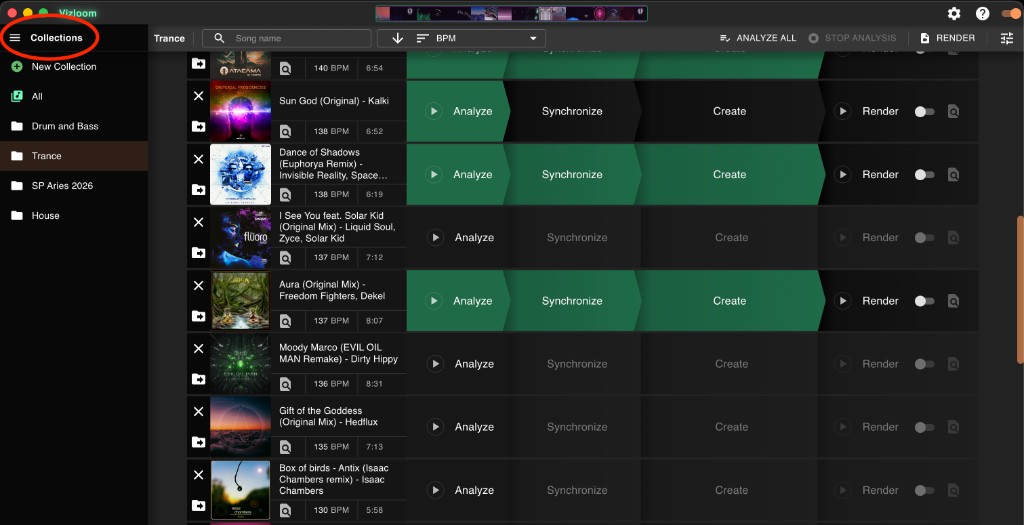
You can toggle the Collections side panel through the 3-lines button on the top-left:
Common ways to use Collections:
- One Collection per gig or set.
- One Collection per genre or vibe.
- One Collection per visual style you're experimenting with.
The sidebar gives you a few important tools:
- New Collection creates a new named collection. You can pick a color for it, or let Vizloom assign one automatically.
- All shows your entire library, across every collection.
- Clicking a collection filters the songs list to only that collection.
- Hovering a collection reveals buttons to edit (rename or recolor) or delete it.
If you delete a collection, the songs are not deleted. They simply go back to having no collection, and remain visible under All.
Adding/Moving Songs Between Collections
Each song in the library has a collection button on its left side:
- If the song is not in a collection yet, the button lets you add it to a collection.
- If the song is already in one, the same button lets you move it elsewhere.
From that menu, you can:
- Create a new collection and place the song into it immediately.
- Move the song to any other existing collection.
- Remove the song from its current collection.
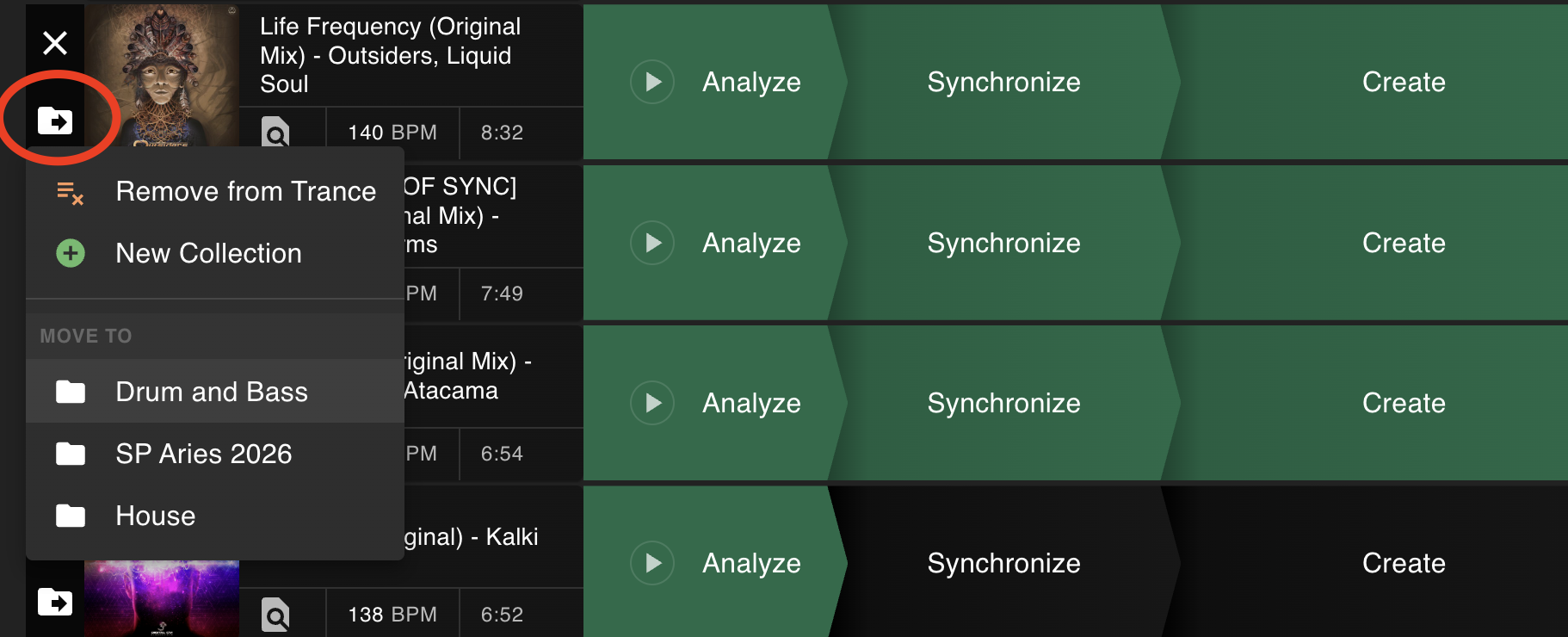
Collections are managed per song from the song list. A song can only live in one collection at a time.
Another useful detail: if you select a collection first and then import songs, those songs are automatically added to the currently selected collection, and they are analyzed according to that collection's settings.
Per-Collection Settings
The All view is special: it always shows all songs across collections, and its settings act as the default settings for songs that are not in a collection yet.
When you create a new collection, Vizloom copies those defaults into it as a starting point. After that, each collection carries its own settings independently.
Notably, each collection can define:
- Default template — the template applied to every new song you add to that Collection.
- BPM detection range — this informs automatic analysis and makes mistakes less likely. This is a good reason to split collections by genre.
- Output framerate — the framerate used when rendering videos from songs in that collection.
- Renders destination — the folder where rendered videos for that collection will be saved.
- Render range — optionally render only a portion of each song, by setting start/end timestamps.
- Include audio — whether rendered videos include the song's audio.
This makes Collections more than just folders: they can shape your workflow. For example, a Drum & Bass collection can have a higher BPM range and a more visually aggressive default template, while a Downtempo collection can use a different render destination and creative starting point.
Individual songs can still override some settings later when needed, such as the BPM detection range, the render range, or whether to include audio.
Batch Rendering and Analysis
Collections also affect your batch workflow:
- Analyze All works on the songs in the currently selected collection.
- Render works on the queued songs in the currently visible collection view.
- The collection name is always shown in the toolbar, so you can quickly confirm the scope before launching a batch action.
This makes Collections a practical way to keep separate render and analysis sessions for different sets, genres, or experiments.