Adjustment Layers
An adjustment layer is a visualization track that, instead of bringing a visual of its own, takes everything below it in the rack and processes it, like adjustment layers in image editors. Use one to apply an effect (color adjustments, a blur, a kaleidoscope…) to several tracks at once.
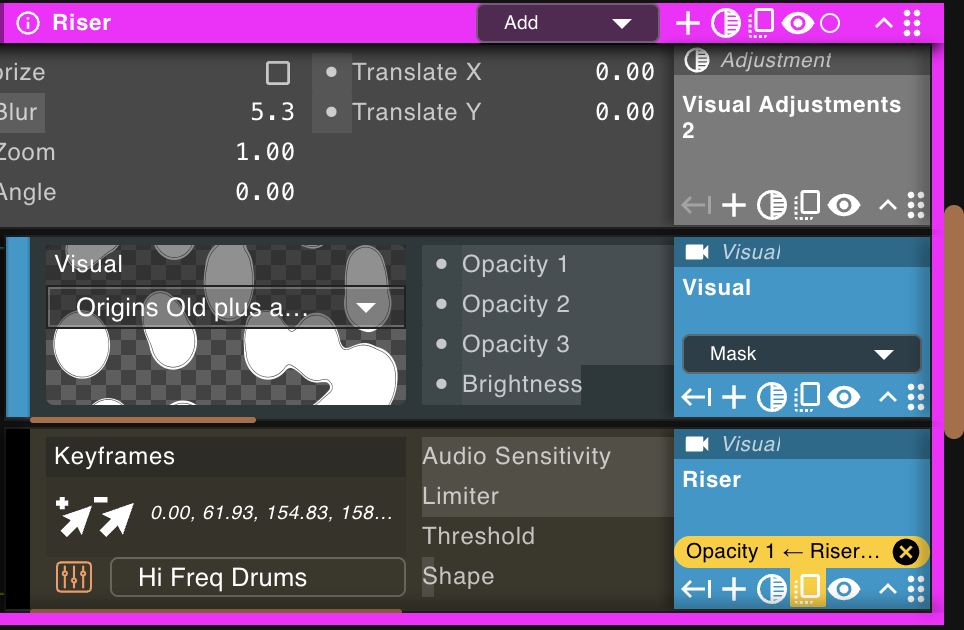
- Adjustment layer tracks are labeled with a double semi-circle icon in their header.
- Inside a rack group, an adjustment layer only affects the group's tracks below it. This is the easiest way to limit an effect to a few tracks.
- Hiding an adjustment layer simply bypasses it. To add one, click the adjustment layer button in any track's controls to add one right under it, or right-click → Add Node as Adjustment Layer… and pick any node (or nodes group) that takes a visual and outputs one. Adjustment layer track types can also be built in the Visualization editor: see Building Custom Effects.